Classic or Aero? How to Choose a Lectern for a Hotel, Venue or Lecture Theatre
Classic or Aero, electronics or control? A practical guide to choosing an Australian-made lectern for hotels, venues, boardrooms and lecture theatres.
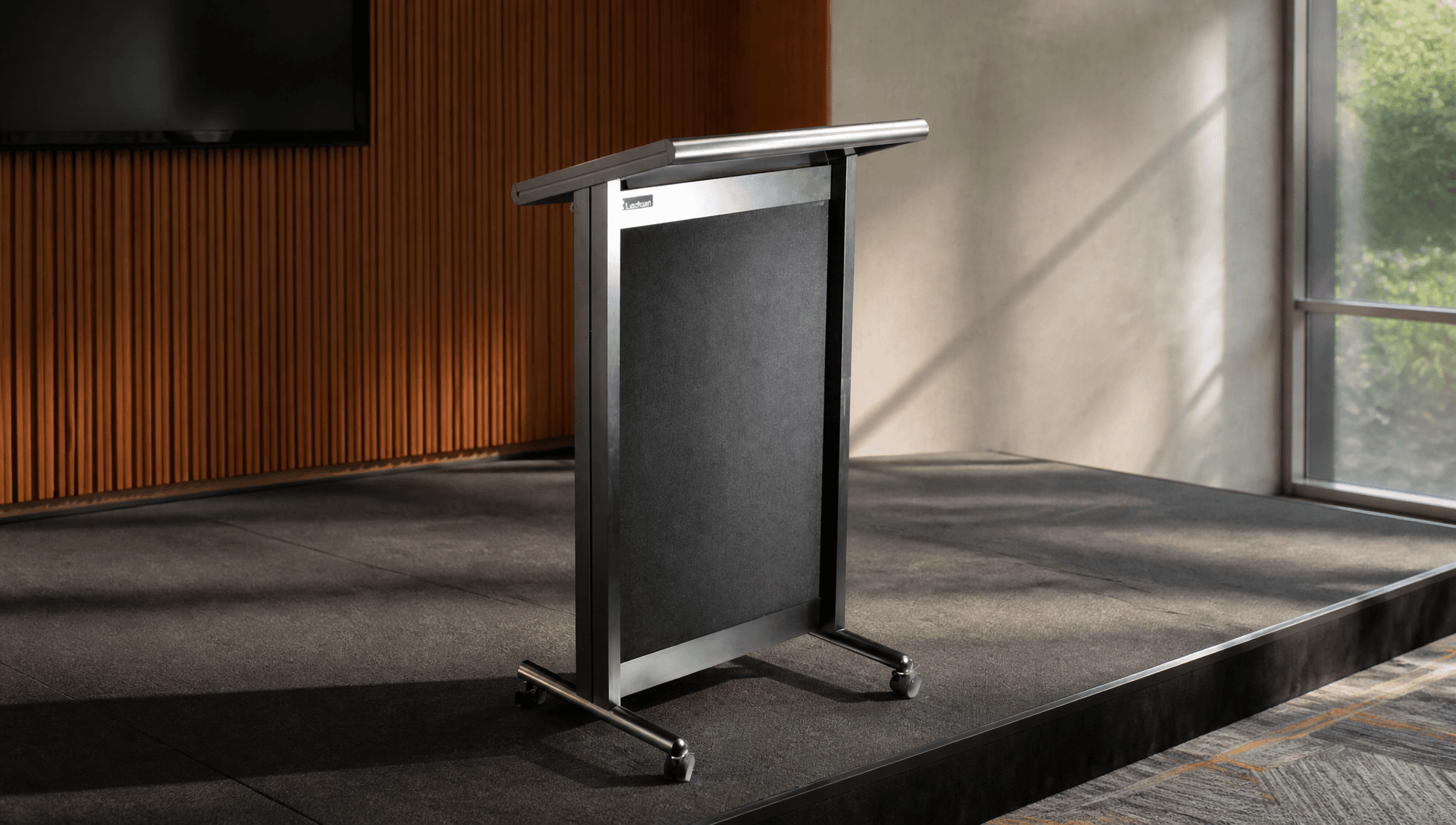
A lectern is the focal point of a room. It's where the keynote starts, where the chair calls the meeting to order and where the lecturer stands for an hour. Choose the wrong one and everyone notices: a microphone taped to the side, a laptop balanced on the edge, a cable across the stage. Choose well and nobody thinks about it at all.
Here's how to choose a Lectrum lectern for your venue.
Start with the room, not the catalogue
Before you look at models, answer four questions:
- Who presents? One speaker, a panel, or a presenter plus a technician?
- What AV is in the room? Microphones only, or a full control system with a touch panel?
- Does the lectern move? One room, or a ballroom that becomes three function rooms?
- What does the room look like? Traditional, contemporary or branded for events?
Classic or Aero?
Lectrum makes two series.
The Classic series has a traditional straight-panel look, inspired by the original Lectrum design established more than 25 years ago. It measures 600 mm wide, 1160 mm high at the front (1030 mm at the rear) and 495 mm deep, and weighs about 27 kg. It suits hotels, conference halls, ballrooms, education spaces and places of worship.
The Aero series is the contemporary option, with aerofoil-shaped legs, a gently curved dress panel and an aluminium frame. Aero models weigh about 31 kg. They suit conferences, government venues, universities and corporate auditoriums. The L2001 Aero is the award-winning design in the range.
Electronics, clock or control?
No electronics
The L20 Classic has integrated logo space and built-in cable management, with no electronics. It's ideal for boardrooms and meeting venues where the AV is handled elsewhere.
Electronics models
The L20S Classic Electronics and L2001 Aero add two XLR microphone inputs, an LED gooseneck reading light and a built-in power supply. The L900 Classic is the extra-wide model (954 mm) for two presenters, or a presenter plus a touch panel and preview monitor. Its universal 12V power supply also supports phantom power for condenser microphones.
Clock and timer models
The L101 Classic Clock and L2001C Aero Timer add a programmable LCD clock and countdown timer, so sessions run to time without a stage manager waving at the speaker. The L101 also has lift-up document storage.
Control models
The L20S NCTL Classic Control and L2001 CTL Aero Control have a housing cut-out for a control touch panel. Lectrum CTL models are available for use with AMX and Crestron. See the L2001 CTL.
Branding and colour
Every Lectrum can carry a logo: integrated logo space on the Classic, dress-panel logos, full dress-panel logos, Crystalite panels or an Aero top-panel insert. Frames come in black, silver, white or gold, with a choice of fabric dress panels. For venues, that means property branding for every event, or a client's branding for one.
Mobility and storage
Lockable castors let a lectern move between rooms. Padded protective covers keep it presentable between events. A slide-out notebook shelf, property shelf or PC shelf (Aero) keeps the top clear.
Lead times
Lead times vary by model, finish and quantity. Confirm current production and delivery timing with the Lectrum team before ordering.
Frequently asked questions
Are Lectrum lecterns made in Australia? Yes. They're designed and manufactured at OPIE Manufacturing Group's facility in Western Sydney, under an ISO 9001:2015 quality system.
Which lectern works with my AV control system? The CTL and NCTL control models have a cut-out for a touch panel and are available for AMX and Crestron. Send us the panel model and we'll confirm the cut-out.
Can I buy through my AV supplier? Yes. Lectrum has authorised distributors across Australia and New Zealand.
Can architects get a BIM file? Yes. Configure the lectern in the OPIE configurator and download the BIM file.
Not sure which model? Try the Product Finder on lectrum.com.au, or configure it and download the BIM file.
