How to Specify a Lectern: Sizes, AV Options and the BIM File
A specifier's guide to lecterns: dimensions, AV options, finishes and how to configure a Lectrum and download the BIM file for your model.
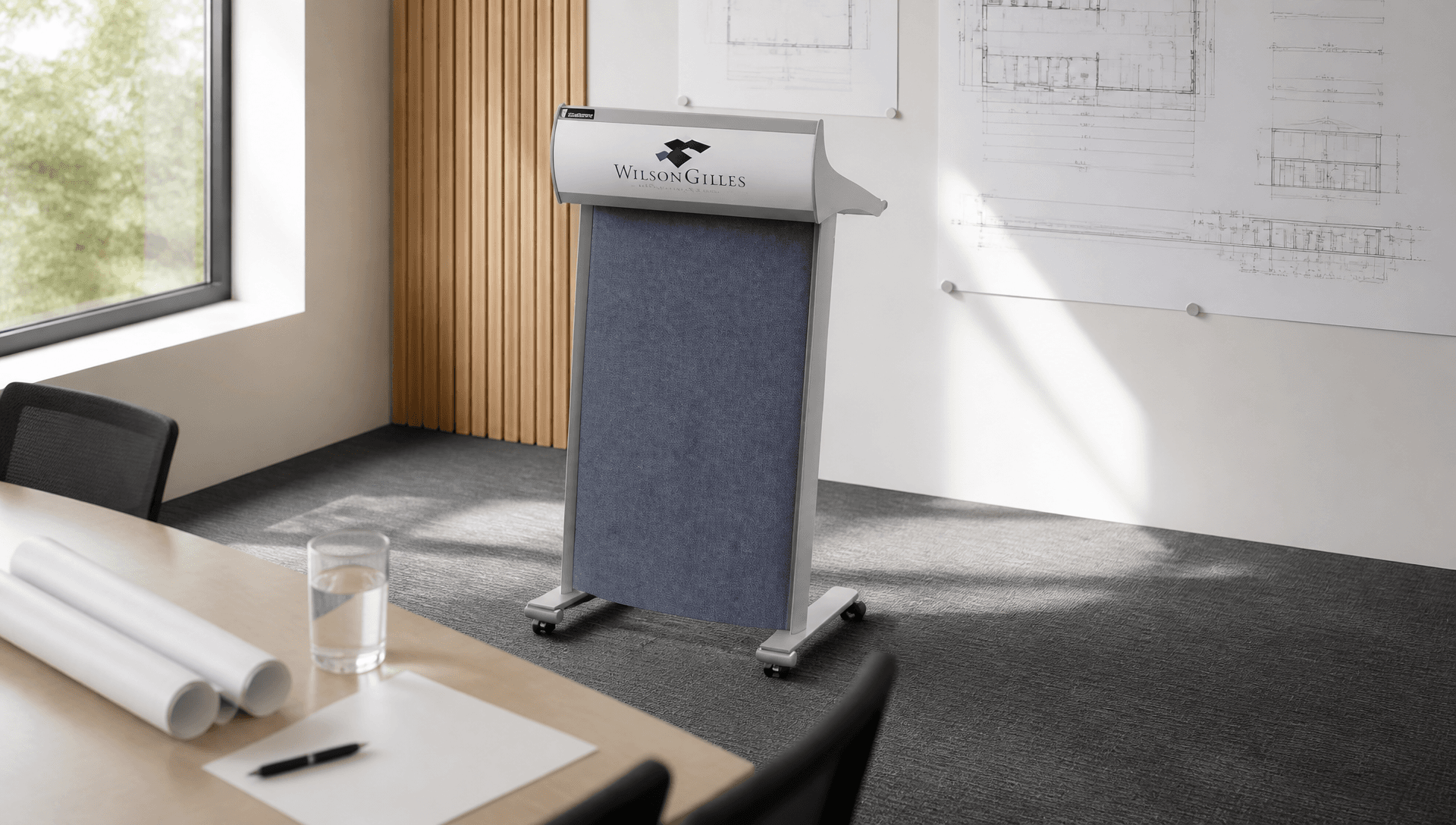
Lecterns are often the last item on the furniture schedule and the first thing the client sees on opening night. When they're specified late, the result is predictable: a floor box in the wrong place, a control panel that doesn't fit, or a colour that clashes with the room.
This guide covers what to specify, and how to get an exact model into your drawings.
Why lecterns get specified late
A lectern sits between disciplines. The interior designer owns the look, the AV consultant owns the electronics, and the electrical engineer owns the floor box. If nobody owns the lectern, it ends up chosen at the last minute from whatever's available.
The fix is simple: specify the lectern with the room, and give everyone the same model to work from.
Dimensions that matter
Lectrum Classic models (L20, L20S, L20S NCTL and L101) share a footprint of 600 mm wide by 495 mm deep, with a height of 1160 mm at the front and 1030 mm at the rear. The Classic weighs about 27 kg.
The L900 Classic is extra wide at 954 mm, for two presenters or extra equipment.
Aero models are about 31 kg. The L2001C Aero Timer is listed at 600 mm wide, 1200 mm high and 500 mm deep.
Check stage depth, sightlines and the path from storage if the lectern moves. Lockable castors are an option.
AV and services
Decide early which of these the lectern needs:
Microphones: electronics models have two XLR inputs, compatible with standard XLR gooseneck microphones.
Phantom power: the L900's universal 12V supply supports phantom power for condenser microphones, and a phantom power supply is available for the Classic.
Lighting: an LED gooseneck reading light.
Control: CTL and NCTL models have a cut-out for a touch panel, available for AMX and Crestron.
Time: the L101 and L2001C include a programmable clock and countdown timer.
Power and data: locate the floor box where the lectern actually stands, and allow for concealed cable routing inside the lectern.
Finishes and branding
Frames are available in black, silver, white or gold. Aero models offer an XtShield finish or a Hi Gloss dual-layer finish. Fabric dress panels come in a range of colours. The Aero range lists Atlantis, Blazing Red, Calypso, Electric Blue, Flatiron, Granny Smith, Ink, Koala, Parthenon and the standard Petronas black.
Logos can be integrated at the top of the Classic dress panel, as a dress-panel logo, a full panel, a Crystalite panel or an Aero top-panel insert.
Configure it and download the BIM file
The OPIE configurator is the quickest way to get an exact Lectrum into the model. Choose the series and model, set the frame colour, fabric and AV options, and see the price. Then download the BIM file and drop it straight into your model, and export a PDF quote for the client's budget.
Everyone on the project then works from the same lectern: the designer sees the right colour, the AV consultant sees the right cut-out, and the client sees the right price.
A specification checklist
Series and model (Classic or Aero; electronics, clock or control)
Frame colour and finish
Dress-panel fabric and logo option
AV: microphones, phantom power, reading light, control panel make and model
Mobility: fixed or lockable castors
Accessories: notebook shelf, PC shelf, protective cover
Lead time: confirm current production and delivery timing for the selected model, finish and quantity
Frequently asked questions
Is a BIM file available for every Lectrum model? BIM files are provided through the OPIE configurator for the Lectrum range.
Can a lectern be modified to suit a project? Each CTL lectern is built to order and can be refined to your AV specification. Talk to us about other changes.
Where can I see specifications? Each product page on the Lectrum store has technical specs and downloads.
Ready to specify? Configure it and download the BIM file, or contact">talk to the Lectrum team.
